Glownomics is Canadian software for appointment businesses that pairs a 24/7 AI receptionist with salon operations—including Turn Flow, its shared queue for first-available walk-ins and requested technicians.
Some salons run a dedicated app that only tracks whose turn is next. Others still use a paper list or a whiteboard. This page compares that narrow job—turn rotation—across Glownomics Turn Flow, a single-purpose app called Smart Turn Tracker, and the paper or whiteboard list most salons started with, as of September 2026.
Facts current as of September 2026 · sources linked below
A NARROW JOB
Three ways to answer "whose turn is it?"
Turn tracking is a small, specific problem: who's waiting, who's eligible, and who goes next. It gets contentious fast when a requested guest, a long service or a technician on break breaks the simple line. Below is what each option actually does about it, sourced from the vendor's own site as of September 2026—not a third-party summary.
AT A GLANCE
Rotation logic, side by side.
Option
Rotation logic
Requested-technician handling
History & disputes
Price
Glownomics Turn Flow
Simple Rotation, Balanced Turns (turn points, longest-ready, tie-breaks) or Service Turn Values (no/half/full/large/double)
Separate lane; owner sets no, half or full turn credit
Owner-only reset requires a reason; passes and exceptions preserve history
Included in Owner Pro, CA$49/month (Owner Free covers manual walk-in records only)
Smart Turn Tracker
Automatic turn-rotation system with custom turn tiles for different service types
Not described on the vendor listing reviewed
Real-time dashboard and check-in log; a detailed audit/reopen history was not described on the listing reviewed
Free to download with a 14-day free trial, per its official App Store listing
Paper or whiteboard list
Whatever the person holding the marker decides, in real time
Handled verbally, on the spot, by whoever is at the desk
None—once it's erased or the shift ends, the record is gone
Free (a whiteboard and markers)
Note on scope: other single-purpose turn-tracking apps exist in this space, including ABTurns and NailTurn Manager. Their official sites were not accessible during this review (repeated connection errors), so no feature or pricing claims about them appear here—check those vendors' current sites directly if you want to compare them too.
GLOWNOMICS TURN FLOW
A shared queue with the reason attached.
Turn Flow pairs the oldest eligible first-available guest with a qualified Ready technician, then asks the owner to confirm Start—the turn is only committed once service begins. Requested guests wait in a separate lane for their chosen technician, and the salon decides whether that service counts as no turn, half a turn or a full turn. Technicians control their own Ready and Break status; owners handle rotation rules, reassignments and resets. Optional Service Turn Values let a quick polish change and a long full set count differently instead of the same, and optional service skills mean the next guest is only paired with someone qualified for that service.
Exceptions keep their reason
Pass, Break, requested guests, cancellations and manual appointment holds all follow the salon's saved policy. Resetting the day is owner-only, requires a reason, and preserves history rather than erasing it—closer to a payout audit trail than a whiteboard wipe.
QR check-in and offline safety
Owner Pro can create one active, revocable QR check-in link; a guest needs only a display name (initials are enough) and an optional phone number. New walk-ins can be saved on the device and synced after reconnecting, though a live assignment still needs the server to confirm the current queue before service starts.
Pricing: Owner Free includes manual walk-in records. Shared explainable rotation, saved salon policies, QR check-in and the waiting-room display are part of Owner Pro at CA$49/month.
Best for: a multi-technician salon where requested guests, differing service lengths, and exceptions have made the whiteboard a source of arguments rather than answers, and where the rest of the salon's software (bookings, Square checkout, payouts) already lives in Glownomics or is being evaluated alongside it.
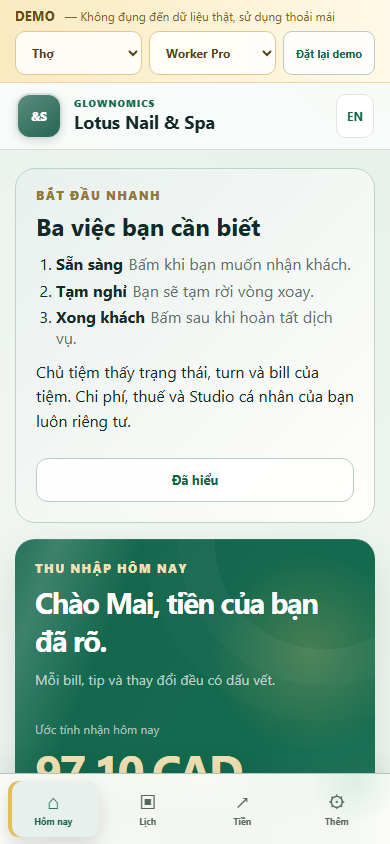
A technician's own Turn Flow screen: current position in the rotation, plus today's earnings, commission and tips.
SMART TURN TRACKER
A dedicated, free rotation app.
Smart Turn Tracker's official App Store listing describes it as nail salon turn-management software with employee management (check-ins, schedules, real-time status), an automatic turn-rotation system, service management, a real-time dashboard, custom turn tiles for different service types, and the ability to call, text or notify employees across devices. It supports multiple locations and runs on Windows, iPhone, iPad and Android with optional cloud sync. The listing shows it as free to download with a 14-day free trial, with no in-app purchases mentioned.
Best for: a salon that wants to digitize rotation specifically, at no listed cost, without adopting a full booking-and-payments platform alongside it.
PAPER OR WHITEBOARD
The real baseline most salons start from.
A physical turn list costs nothing and needs no training—anyone who can write a name can use it. Its limits show up exactly where rotation gets complicated: a requested guest breaks the line with no consistent rule for how much turn credit they get, a technician who steps out for a break has no system tracking when they're eligible again, and the moment the board is erased or a shift ends, there's no record of why a particular pairing happened. Disputes get settled by memory and trust in whoever was holding the marker, not by a saved rule.
Best for: a very small salon with one or two technicians and few requested-guest disputes, where the overhead of any app isn't worth it yet.
HOW TO CHOOSE
Match the tracker to what actually breaks.
01
Requested guests keep causing arguments
Look for a system that separates the requested lane from first-available and lets the owner set a consistent turn-credit rule—Turn Flow does this explicitly; confirm the detail directly with any other app before assuming it does too.
02
Services vary a lot in length
Service Turn Values (no, half, full, large, double) mean a five-minute repair and a long full set don't have to count the same turn—check whether a rotation app you're considering supports weighting by service length, not just a flat rotation order.
03
You need the whole salon connected, not just the queue
If turns, tickets, tips and payouts all need to trace back to the same record, a rotation feature inside a fuller salon workflow avoids re-entering the same data twice—Turn Flow sits alongside Glownomics' booking, Square checkout and payout workflow rather than standing alone.
04
Budget is the only constraint right now
A free, rotation-only app or the whiteboard itself may be the right call while the salon is small; revisit the decision once requested-guest disputes or payout questions start eating real time.
COMMON QUESTIONS
What salon owners ask about turn trackers.
Is a turn tracker the same as a wait list?
No. A wait list just records who's waiting. Turn Flow also ranks eligible technicians under the salon's saved rules and preserves why a particular pairing was selected—closer to an audit trail than a sign-in sheet.
Do requested guests always take a full turn?
Not by default in Turn Flow: the owner can configure a requested visit as no turn, half a turn or a full turn, and requested guests stay in a separate lane from first-available walk-ins either way. Confirm how any other app you're considering handles this—it varies.
What happens if the salon's internet drops?
In Turn Flow, new walk-ins can be saved on the device and synchronized once reconnected, but a live technician assignment still requires the server to confirm the current queue before service starts—it won't silently double-book from two disconnected devices.
Does a turn tracker replace online booking?
No, in any of the options compared here. Turn Flow manages the day-of salon floor; Glownomics has a separate booking workflow, and an appointment made outside it can be represented with a manual hold. A single-purpose turn app like Smart Turn Tracker doesn't publish booking features at all.
Can technicians change their own place in line?
In Turn Flow, technicians can change their own Ready or Break status, but owners control the salon's rotation rules, reassignments and resets—so no one can quietly move themselves up the list.
Is the free tier enough to try turn tracking?
Glownomics Owner Free includes manual walk-in records so you can see the basic flow; the shared, explainable rotation with saved policies, QR check-in and the waiting-room display is part of Owner Pro at CA$49/month. Smart Turn Tracker's listing shows a 14-day free trial rather than an ongoing free tier for its full feature set.
KEEP COMPARING
See the rest of the salon workflow.
SOURCES · AS OF SEPTEMBER 2026
Where these facts came from.
Every competitor claim above was taken directly from that vendor's own site during September 2026. Prices and features change; verify anything decision-critical on the vendor's current page before you commit.