Booking and arrival
Use Glownomics public booking, record a walk-in or protect time with a manual appointment hold while another system remains in place.
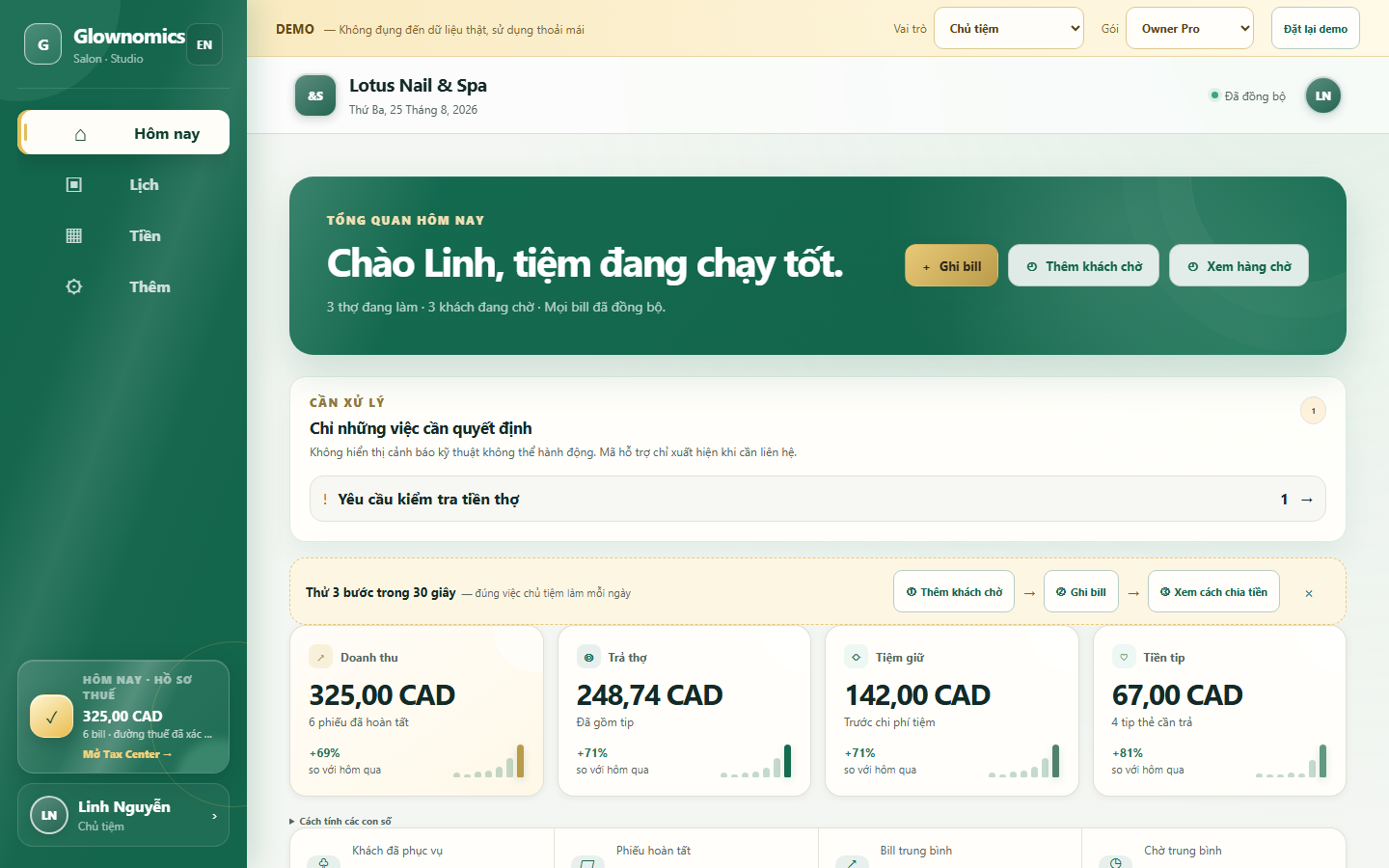
Bookings, walk-ins, technician rotation, Square Terminal checkout, tips and weekly payout records—one connected salon workflow.
Glownomics Operations connects the guest, service, technician, payment evidence and payout explanation. The 24/7 AI receptionist is a separate service with its own included calendar; use either product or both.
No card for the demo · sample data · explore at your own pace
| Fact | Detail |
|---|---|
| Price | Owner Pro costs CA$49/month for a salon with up to 25 active accounts, including the Square Terminal Bridge. |
| Independent AI receptionist | The optional 24/7 AI receptionist starts at CA$99/month with 125 connected minutes included, then CA$0.69 per extra minute. It works without Owner Pro and includes its own calendar. |
| Languages | The owner, technician and booking workspace runs in English, French and Vietnamese. Receptionist calls are answered in English. |
| Integrations | Checkout runs through the Square Terminal Bridge. The receptionist includes a calendar; automatic booking through Google Calendar, Square Appointments or Wix Bookings requires that connection to pass its setup checks. |
| Built in | Glownomics is built in Saskatoon, Canada. |
| Payroll | Glownomics does not run payroll, file taxes or decide worker classification — Square handles card approval, tips, refunds, fees and deposits. |
A calendar can hold appointments and a payment terminal can charge a card. Glownomics connects the operating decisions between them: who is waiting, who is eligible, who performed each service, where the tip came from and why the weekly payout has that number.
Use Glownomics public booking, record a walk-in or protect time with a manual appointment hold while another system remains in place.
Separate first-available and requested guests, apply the salon’s saved rotation rules and keep each exception’s reason.
Lock the exact services and total, let Square Terminal collect payment and the customer-entered tip, then return confirmed evidence.
Each technician sees only their own allocated services, tips and payout explanation—not another person’s records.
Review share rules, tips and adjustments by source ticket, then lock one weekly payout run with preserved history.
Export source-backed bookkeeping records without pretending Glownomics runs payroll, files taxes or replaces professional advice.
Turn Flow checks which technicians are Ready and eligible for the service, then applies your saved rotation rules. First-available guests and clients requesting a technician stay in separate lanes; each assignment keeps its reason. Owners can set service turn values, so a polish change and a long full set need not count the same.
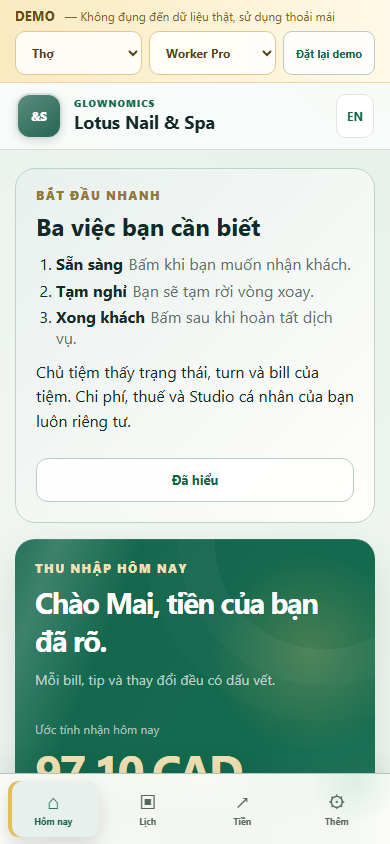
A technician's Today screen shows their place in the turn order, today's estimated earnings and tips—never another technician's numbers or the salon-wide payout run.
The app shows a technician's current place in the rotation—"You are #2. Wait after Kim."—along with a button to pause taking new guests when they step away.
Trang Timeless Beauty uses Glownomics in salon operations to validate turns, tickets, tips and weekly payout reconciliation.
Read the customer story“Glownomics saves us time and makes everything more transparent for our team.”
Owners and team members can use the Glownomics workspace in English, French or Vietnamese.
Bring over services, team details, hours and share rules without sending customer data. Selected salons can compare a guided Shadow Week before choosing when to go primary.
Yes. Owner Pro includes public booking for multiple technicians, service selection, conflict checks, email confirmations and reminders. A salon can keep its current booking system while testing Glownomics.
Owner Pro keeps first-available and requested guests in separate lanes, checks technician Ready status and service eligibility, and preserves the saved reason for each assignment or exception.
Selected salon workspaces can use the guided Square Terminal Bridge. Square remains responsible for card approval, the customer-entered tip, refunds, fees and deposits; Glownomics preserves the surrounding ticket and payout record.
No. It records salon tickets, saved technician-share rules, tips, adjustments and payout status. It does not move wages, calculate statutory deductions, file taxes or decide worker classification.
A technician can see their own tickets, allocated tips, stored calculation explanation and payout status. They cannot see another technician’s amounts or the salon-wide payout run.
Yes. The public demo uses sample data, and selected salons can use a guided Shadow Week to compare Glownomics with the current workflow before choosing a cutover date.
Use the live demo with sample data before creating a salon account.